Oct 21, 2017
Updated by Rajeevpp Order ID: OD[protected]
Hi,
My self rajeev kumar, i placed order - order id - od[protected]
The from my friend account ([protected]@gmail.com).
The product - asus zenfone 2 laser ze550kl (Black, 16 gb) (2 gb ram).
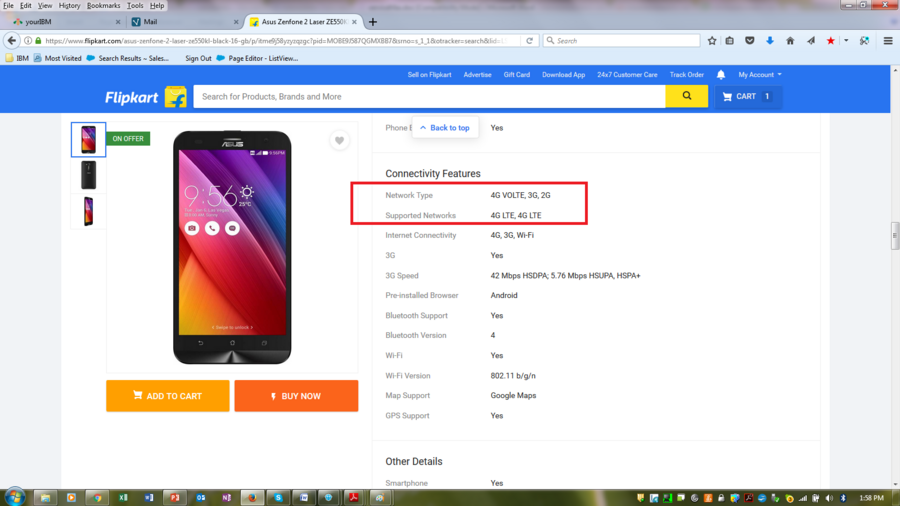
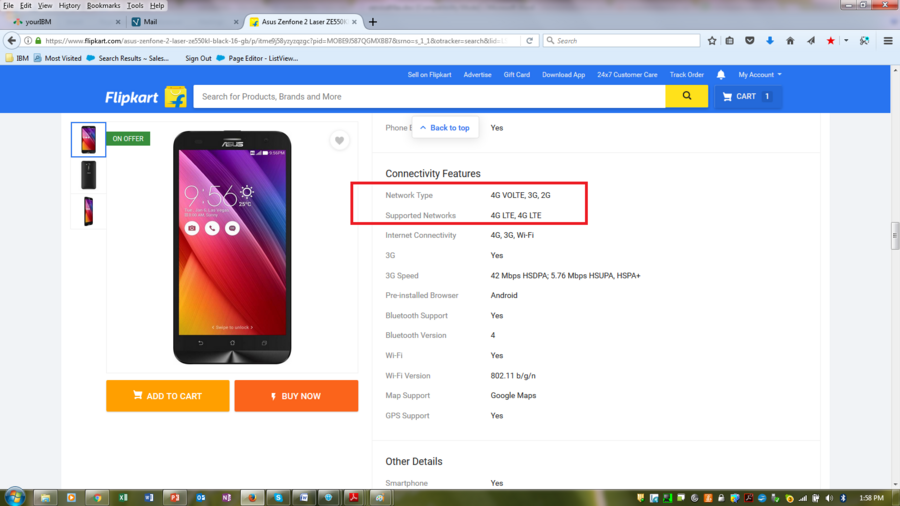
As we are looking, this 4g mobile and supporting – 4g volte in website:
Inline image 1
I am trying to use jio sim, but it’s not supporting 4g volte.
I am contained calling to flipkart customer care from last 3rd october (Last 20 days) around more than 20 times, they are telling only my backend team will contact to you within 24 hrs and giving solution don’t worry, but i am very much worry. Sometimes flipkart customear care told as contact to asus customer care or service center.
Also i had visited the asus - service center as my below’s notification:
Inline image 2
Overall i am not getting any kind of support and solution. I am very much upset from regarding to purchase new mobile from flipkart.
Now i want refund or purchase other brand or model phone.
I request you, please reach out to me and provide refund or 4g - volte enable phone asap.
Thanks & regards,
Rajeev kumar
Mobile - [protected]
[protected]





My email id is dsk.[protected]@gmail.com
My mobile number is [protected]